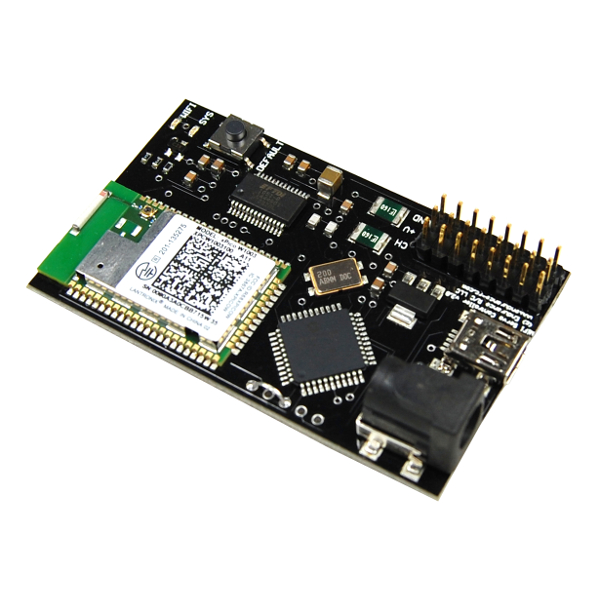

Control an R/C vehicle or Robot from your Windows PC!
By connecting an R/C transmitter to a PC via the PCTx interface, you now have the ability to "take control" of an R/C vehicle with your PC side applications.
Features:
- New! Supports transmitters up to 9 channels
- Buddy Box/Trainer Port enabled radio required
- 50Hz refresh rate
- Independent servo control
- Adjustable pulse width
- C++, C# and VB.NET software API available
- Upgradeable firmware
What radio do you use?
We are trying to put together a big list of radios everyone is using with their PCTx. The plan is to provide this information back to the community so that new users can make a more informed transmitter usage selection. Please let us know what you are using by e-mailing endurance@endurance-rc.com with your radio make and model.
Thank you!
Endurance Staff
USB FMS 6 Pin
We are now stocking the GWS USB FMS cord with a 6 pin din plug. See the simulator page for info.
New AnalogReader Sensors
Two new sensors for the AnalogReader have just been released. The first is a wired 10k pot complete with JR servo plug. The second is a wired up and ready to go LM235 temp sensor. The two sensors are compatible with the AnalogReader but can really be used with any 5v device.
See the new sensors here:
25 Servo Controller Integrated with RoboRealm
The guys at RoboRelam have recently added support for the 25 Servo Controller into RoboRealm for even more control options! If you are not familiar with RoboRealm it is a very powerful yet incredibly easy to use vision processing and robotic control suite. RoboRealm is also compatible with the PCTx interface. Get it here:
Shipping Down
Shipping will be down from June 2 - 9. The web store is still active but no orders will be shipped during this time. Thank you for your patience.
<< Previous 1 2 3 4 5 6 7 8 9 10 11 12 13 14 15 16 Next >>